





Ingest Datadog Agent Data into Cribl Search
Collect metrics, traces, and logs via the Datadog API to store them in Cribl Search for fast analysis.
Before You Begin
You’ll need:
- Cribl.Cloud Enterprise. For details, see Pricing.
- Search Admin Permission, or higher. Learn who can do what at Cribl Search Permissions.
- Datadog Agent that can send data to Cribl Search over HTTP(S).
You don’t need Cribl Stream, Edge, or Lake. (Looking for the Datadog Agent Source in Cribl Stream instead?)
1. Add a Lakehouse Engine
See Lakehouse Engines in Cribl Search.
2. Set Up Your Search Datasets
Create the Search Datasets you’ll route events into, and set their retention. See Create Search Datasets.
3. Add a Datadog Agent Source in Cribl Search
On the Cribl.Cloud top bar, select Products > Search > Data > Add Source > Datadog Agent.
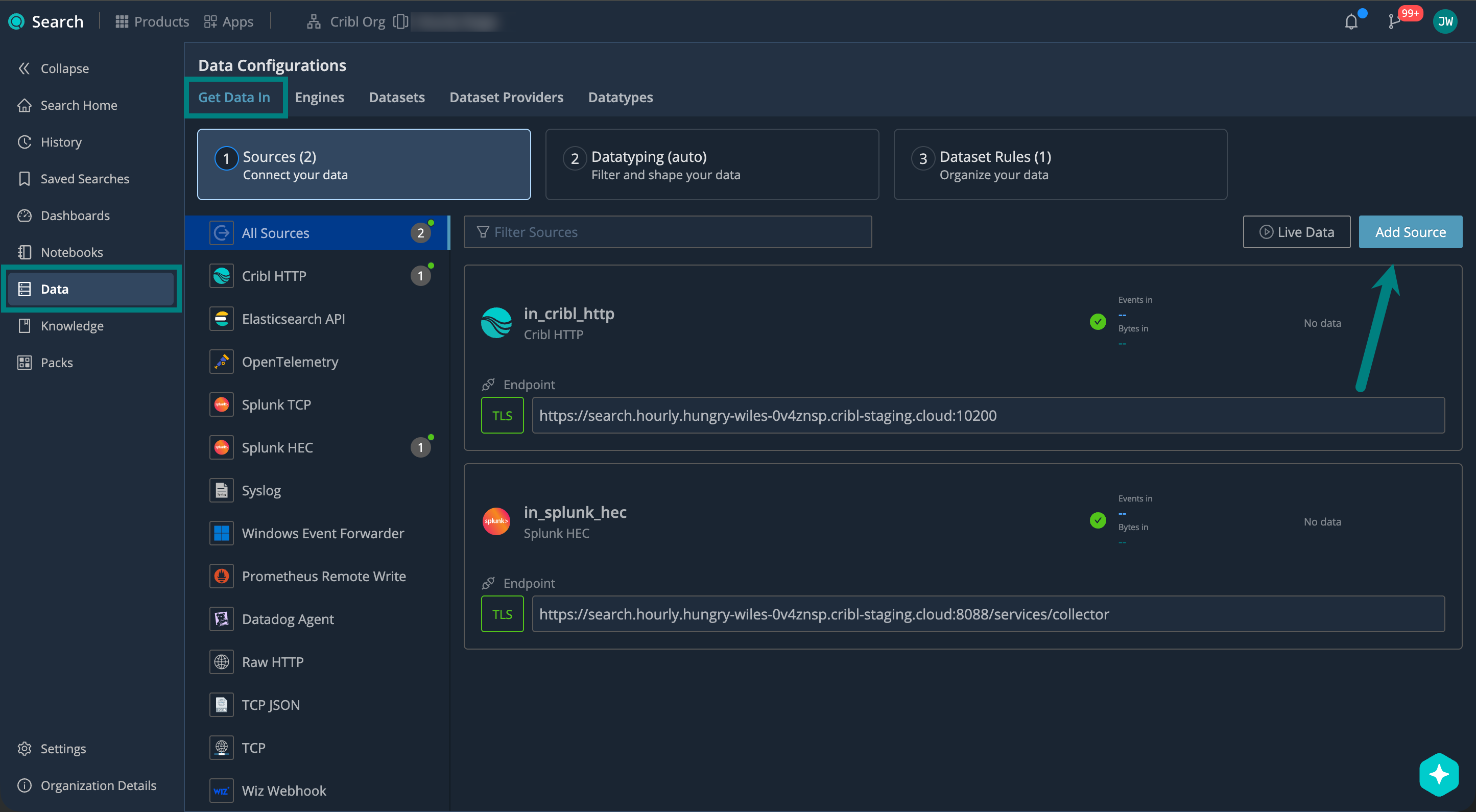
Under General, configure:
| Setting | Description | Example |
|---|---|---|
| ID | Source ID, unique across your Cribl.Cloud Workspace. Use letters, numbers, underscores, hyphens. | datadog_agent_prod |
| Description | Describe your Source so others know what it’s for. | Ingests Datadog Agent data |
| Address | Hostname (FQDN) that your Datadog Agent connects to. You’ll need this to set up your Datadog Agent. | search.main.foo-bar-abc123.cribl.cloud |
| Port | Network port to listen on. Keep the default unless it conflicts with another service. | 20000 (default) |
Set Up Encryption
Use TLS encryption to protect your data in transit between the Datadog Agent and your Cribl Search Source.
Under Encrypt, select Enabled, and set the Minimum TLS version you want to accept.
| TLS Version | When to Use |
|---|---|
| 1.3 | Recommended. Provides the best security. |
| 1.2 | Use only when connecting to older systems that don’t support TLS 1.3. |
| Older than 1.2 | Avoid if possible. These versions are no longer considered secure. |
Select Save to create the Source.
4. Set Up Datatyping
Configure Datatype rules to parse, filter, and normalize your data into structured fields. We call this process Datatyping.
On the Cribl.Cloud top bar, select Products > Search > Data > Datatyping (auto). Here, you can:
- Use Auto-Datatyping to parse your data automatically.
- Check for uncategorized data that didn’t match any Datatype rules.
- Handle the uncategorized data by adding custom Datatype rules.
See also:
- Datatypes in Cribl Search
- v2 Datatypes in Cribl Search
- List of Stock v2 Datatypes
- Add a Custom v2 Datatype
5. Set Up Dataset Rules
Configure Dataset rules to route the parsed events into your Search Datasets.
On the Cribl.Cloud top bar, select Products > Search > Data > Datasets: Organize Your Data, and see Organize Data with Dataset Rules for details.
6. Set Up Your Datadog Agent
Configure the Datadog Agent to send data to Cribl Search.
You’ll need these details from your Source configuration:
| Name | Example |
|---|---|
| Address | search.main.foo-bar-abc123.cribl.cloud |
| Port | 20000 (default) |
To find these for an existing Source: On the Cribl.Cloud top bar, select Products > Search > Data > Sources, and select your Source.
Example (Datadog Agent > Cribl Search)
Replace the example address (search.main.foo-bar-abc123.cribl.cloud) and port (if you changed the default 20000)
with your Source values.
dd_url: 'https://search.main.foo-bar-abc123.cribl.cloud:20000'
apm_config:
  apm_dd_url: 'https://search.main.foo-bar-abc123.cribl.cloud:20000'
logs_config:
logs_dd_url: 'https://search.main.foo-bar-abc123.cribl.cloud:20000'Without TLS, use http instead of https.
export DD_URL="https://search.main.foo-bar-abc123.cribl.cloud:20000"
export DD_APM_URL="https://search.main.foo-bar-abc123.cribl.cloud:20000"
export DD_LOGS_CONFIG_LOGS_DD_URL="https://search.main.foo-bar-abc123.cribl.cloud:20000"Without TLS, use http instead of https.
7. Start Sending Data and Verify
Start sending events from the Datadog Agent, and verify that they’re successfully flowing into Cribl Search.
On the Cribl.Cloud top bar, select Products > Search > Data > Live Data.
Here, check for your Datadog Agent Source. For details, see Live Data.
Next Steps
Now that your data is in Cribl Search, you can start using it. For example: